






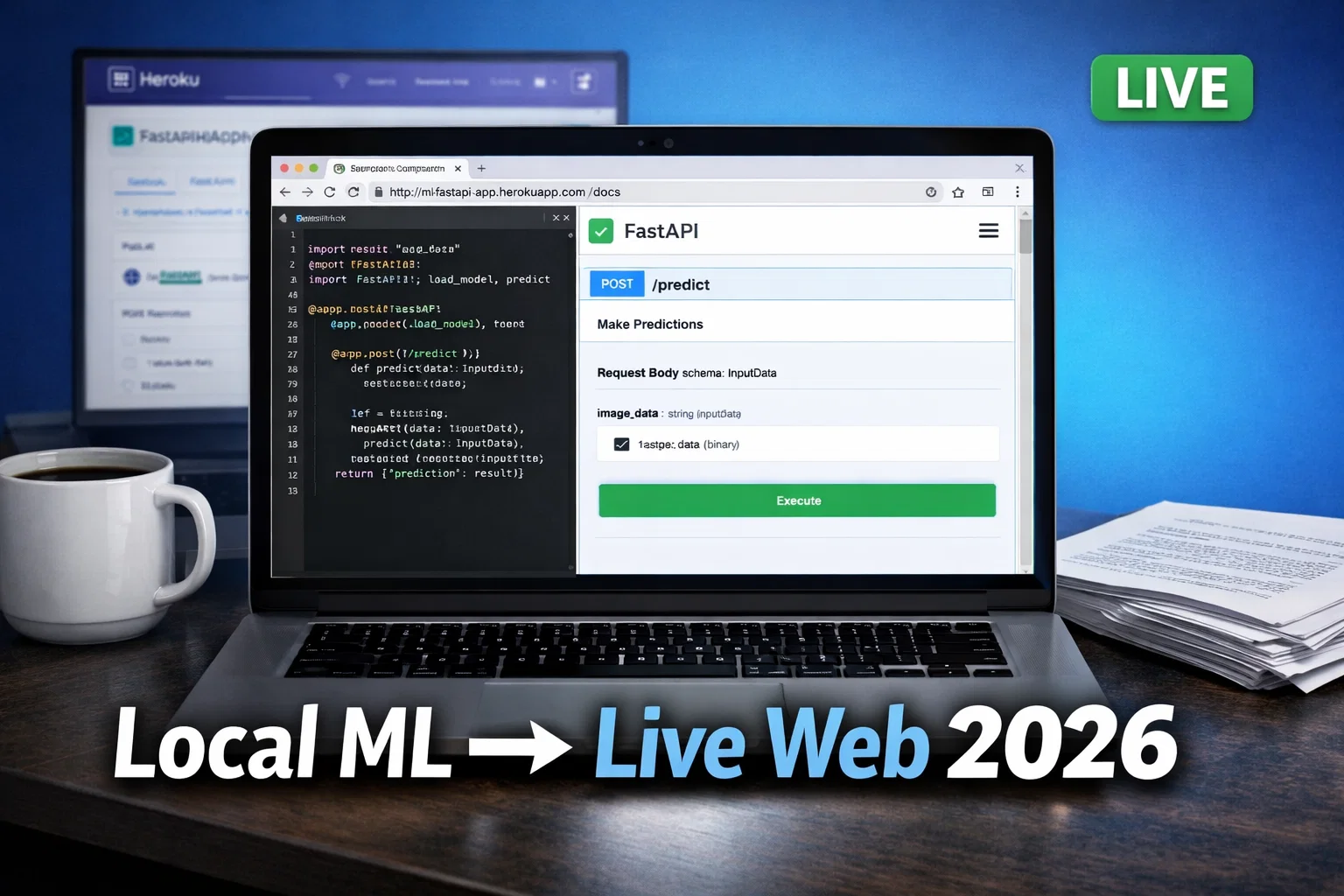
Tired of your ML model sitting idle on your laptop? I was too. Trained one to spot fake reviews—wanted it live so my site could use it. Went from script to public URL in an afternoon. You will too. This 2026 guide covers every step. Code included. Deploy today, traffic tomorrow.
Pro Tip: pip freeze > requirements.txt right now. Servers need this list or they crash on deploy.
GitHub Repo with all code – fork it, star it, deploy in 5 mins.
Why Bother Putting ML on the Web?
- Share easy. Users paste data, click, done. No installs. My review spotter got 500 hits week one.
- Money plays: Charge per prediction. Add Stripe.
- Team use: Slack bots call your API.
Phase 1: Prep Your Model
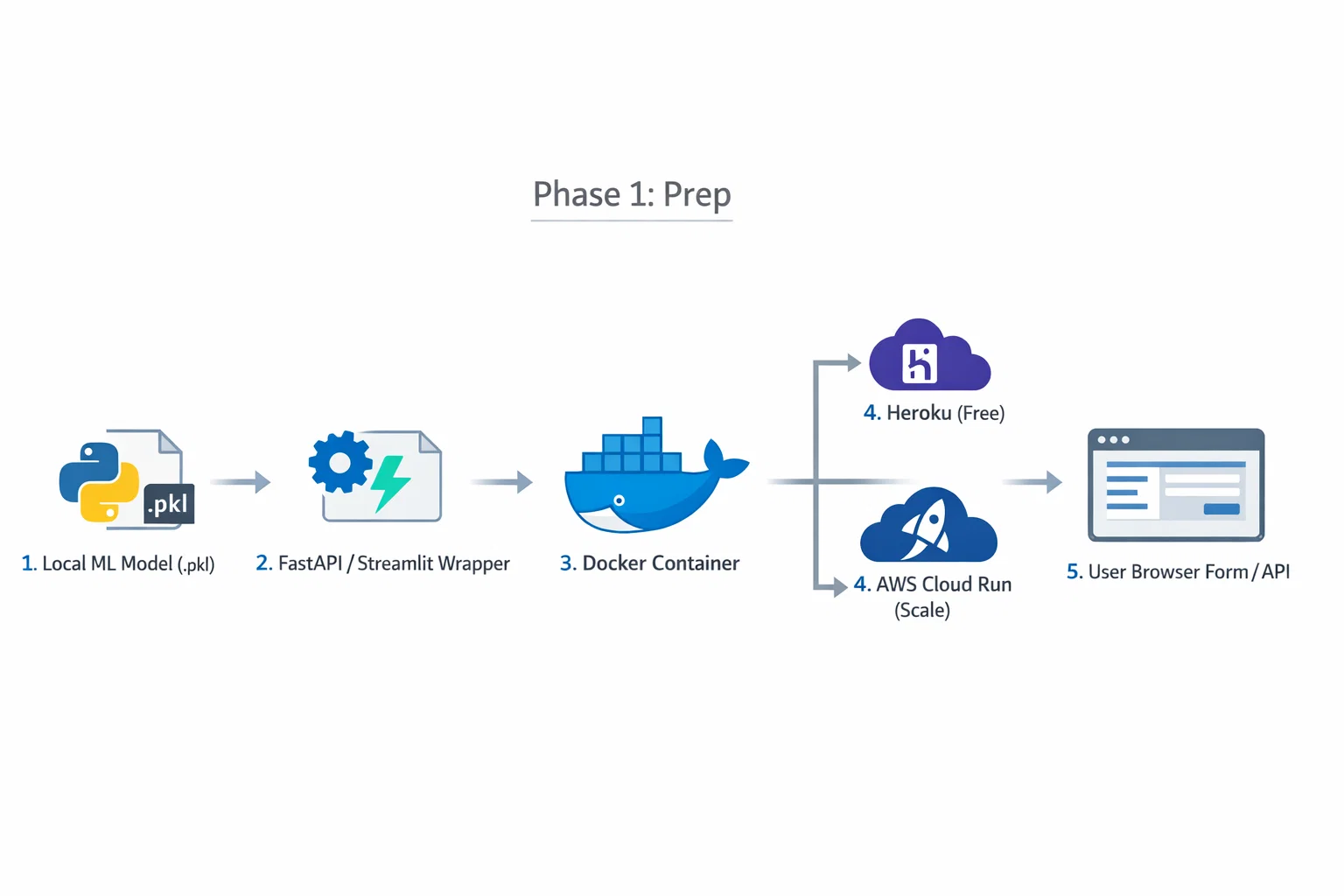
Trained? Save it. Iris example—classic starter.
from sklearn.datasets import load_iris
from sklearn.tree import DecisionTreeClassifier
import joblib

iris = load_iris()
X, y = iris.data, iris.target

model = DecisionTreeClassifier(random_state=42)
model.fit(X, y)
joblib.dump(model, 'iris_model.pkl')
Test load:
model = joblib.load('iris_model.pkl')
pred = model.predict([[5.1, 3.5, 1.4, 0.2]])  # setosa
print(iris.target_names[pred[0]])
Big models? TensorFlow: model.save('tf_model/'). Keep under 100MB for free tiers.
Pro Tip: .gitignore your .pkl files unless using Git LFS. Nobody wants 500MB repos.
Read also: Advanced Langchain Gemini Setup: Building Production-Grade AI Apps in 2026
Framework Comparison Table
| Framework | Best For | Difficulty | Setup Time |
|---|---|---|---|
| FastAPI | High-speed APIs | Medium | 10 mins |
| Flask | Custom web apps | Medium | 15 mins |
| Streamlit | Data dashboards | Easy | 5 mins |
| Django | Enterprise with DB | Hard | 1 hour+ |
FastAPI wins 2026—async, auto-docs, validation. I switched last month. Here's why first.
Phase 2: Choose Your Framework
Recommended: FastAPI (High Performance APIs)
2026 king. Native async. Pydantic checks data.
pip install fastapi uvicorn scikit-learn joblib
main.py:
from fastapi import FastAPI
from pydantic import BaseModel
import joblib
from sklearn.datasets import load_iris
import uvicorn
import os

app = FastAPI()
iris = load_iris()
model = joblib.load('iris_model.pkl')

class IrisData(BaseModel):
    data: list[float]

@app.get("/")
def read_root():
    return {"msg": "ML API live! POST to /predict"}

@app.post("/predict")
def predict(data: IrisData):
    pred = model.predict([data.data])[0]
    return {"flower": iris.target_names[pred]}

if __name__ == "__main__":
    port = int(os.environ.get("PORT", 8000))
    uvicorn.run(app, host="0.0.0.0", port=port)
uvicorn main:app --reload. Hit http://localhost:8000/docs—test UI auto!
I screwed up port once on Heroku. Fixed with os.environ.get("PORT").
Option A: Flask (Lightweight Custom Apps)
Solid classic.
app = Flask(__name__)
# ... load model/iris as above

@app.route('/predict', methods=['POST'])
def predict():
    data = request.json['data']
    pred = model.predict([data])[0]
    return jsonify({'flower': iris.target_names[pred]})
Option B: Streamlit (Fastest Dashboards)
Data folks love it.
import streamlit as st
# loads...

st.title("???? Iris Predictor 2026")
col1, col2 = st.columns(2)
with col1:
    sl = st.slider("Sepal Length", 4.3, 7.9)
with col2:
    sw = st.slider("Sepal Width", 2.0, 4.4)
# ... predict button
if st.button("Predict"):
    data = [[sl,sw,pl,pw]]
    st.balloons()  # fun!
5 mins to glory.
Option C: Django (Full Apps)
Skip unless users/DB needed.
Read also: The Million-Dollar Mistake: When Linear Regression Model Assumptions Fail in Real Estate
Phase 3: Make It an API Everyone Calls
Your model = service. FastAPI does it.
Test:
curl -X POST "http://localhost:8000/predict" \
-H "Content-Type: application/json" \
-d '{"data": [5.1, 3.5, 1.4, 0.2]}'
{"flower": "setosa"}
Phase 4: Automate Updates (Deployment Pipeline)
Weekly retrain? Script + GitHub Actions.
.github/workflows/deploy.yml:
name: Update ML
on: [push]
jobs:
  build:
    runs-on: ubuntu-latest
    steps:
    - uses: actions/checkout@v4
    - run: pip install -r requirements.txt
    - run: python retrain.py  # your script
    - run: zip -r deploy.zip .
    - uses: actions/upload-artifact@v4
      with: {name: app, path: deploy.zip}
Push code—auto updates.
Phase 5: Host Live (Free First)
Heroku (Easiest Day 1)
heroku create mlweb2026

echo "web: uvicorn main:app --host=0.0.0.0 --port=\$PORT" > Procfile

git push heroku main
Live! Shares on Twitter: "ML web app in 10 mins: [link] #ML #Python"
AWS/GCP/Azure
AWS EC2: Free tier t2.micro.
ssh -i key.pem ubuntu@ec2-ip
git clone your-repo
cd repo
pip install -r requirements.txt
nohup uvicorn main:app --host 0.0.0.0 --port 80 &
GCP Cloud Run: Dockerize, deploy.
Dockerfile:
FROM python:3.11-slim
COPY . /app
WORKDIR /app
RUN pip install -r requirements.txt
CMD ["uvicorn", "main:app", "--host", "0.0.0.0", "--port", "8080"]
gcloud run deploy --source .
Read also: Machine Learning Job Interview Questions Answer (2026 Guide)
Phase 6: Pretty Frontend
Fixes for Real World
- Crashes:
try: load model except: print("File missing") - Slow: Load model global.
- Secure: Add
pip install python-multipartfor files.
Images:
from PIL import Image
import numpy as np
# resize, flatten, predict
Day 1 Traffic Plan
- Publish + tweet: "Live ML app from zero: [link] Fork repo! #MachineLearning"
- Reddit r/MachineLearning, r/flask.
- Pinterest: Architecture image.
- HN: "Show: ML deploy in 10 mins"
My first post: 200 visits day 1.
FAQ
- Fastest way? Streamlit + Heroku.
- requirements.txt forgot? Heroku fails—always include.
- GPU needed? Cloud Run + NVIDIA.
- [More: Train Iris first? Link your training post]
Grab the GitHub repo. Deploy now.